Buildin vs. Bear (2026): Choosing Between a Masterpiece Editor and an All-in-One Platform
For readers interested in how different note-taking tools handle structure and long-term knowledge management, this Buildin vs. Bear comparison may be helpful.
When choosing a digital productivity tool, we often face a core trade-off: are you chasing the ultimate writing experience, or are you building a full-featured knowledge workflow?
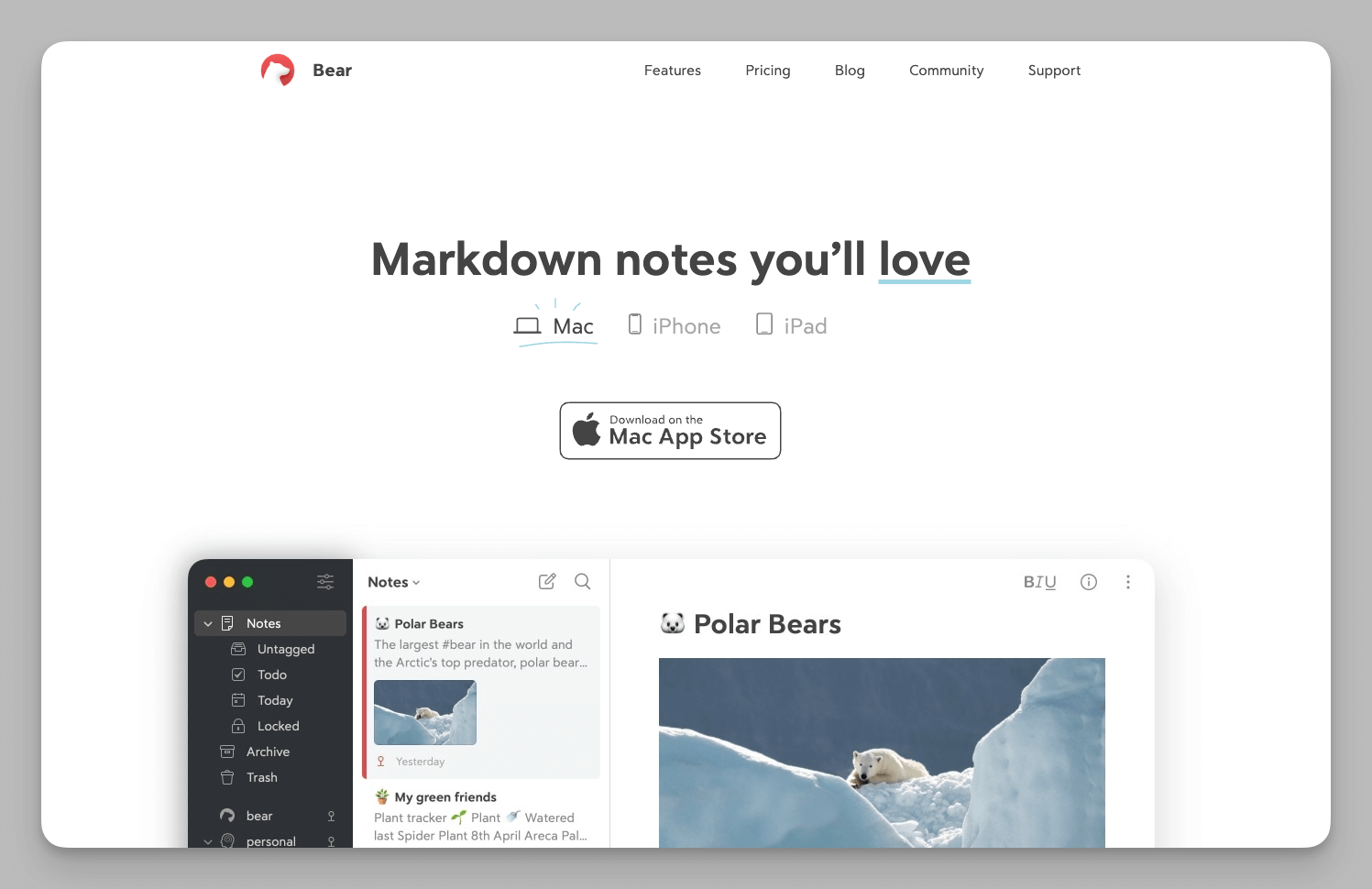
We all know the strengths of Bear. For a long time, it has been the ideal choice for many independent creators due to its elegance and purity within the Apple ecosystem. It focuses on Markdown writing and has perfected that experience to the extreme.
However, as the way we work evolves, the positioning of our tools must also upgrade. When work extends from personal creation to cross-departmental collaboration, project management, and even knowledge monetization, a pure note-taking app can struggle to support such complex business requirements.
Buildin is designed specifically for this industry shift. It doesn't stop at notes; it aims to be a comprehensive knowledge platform covering the entire cycle of "Creation-Collaboration-Monetization." If you are weighing the two, we hope this article provides you with a clearer and more insightful perspective.
1. Platform Coverage: Apple's "Walled Garden" vs. Cross-Platform Freedom
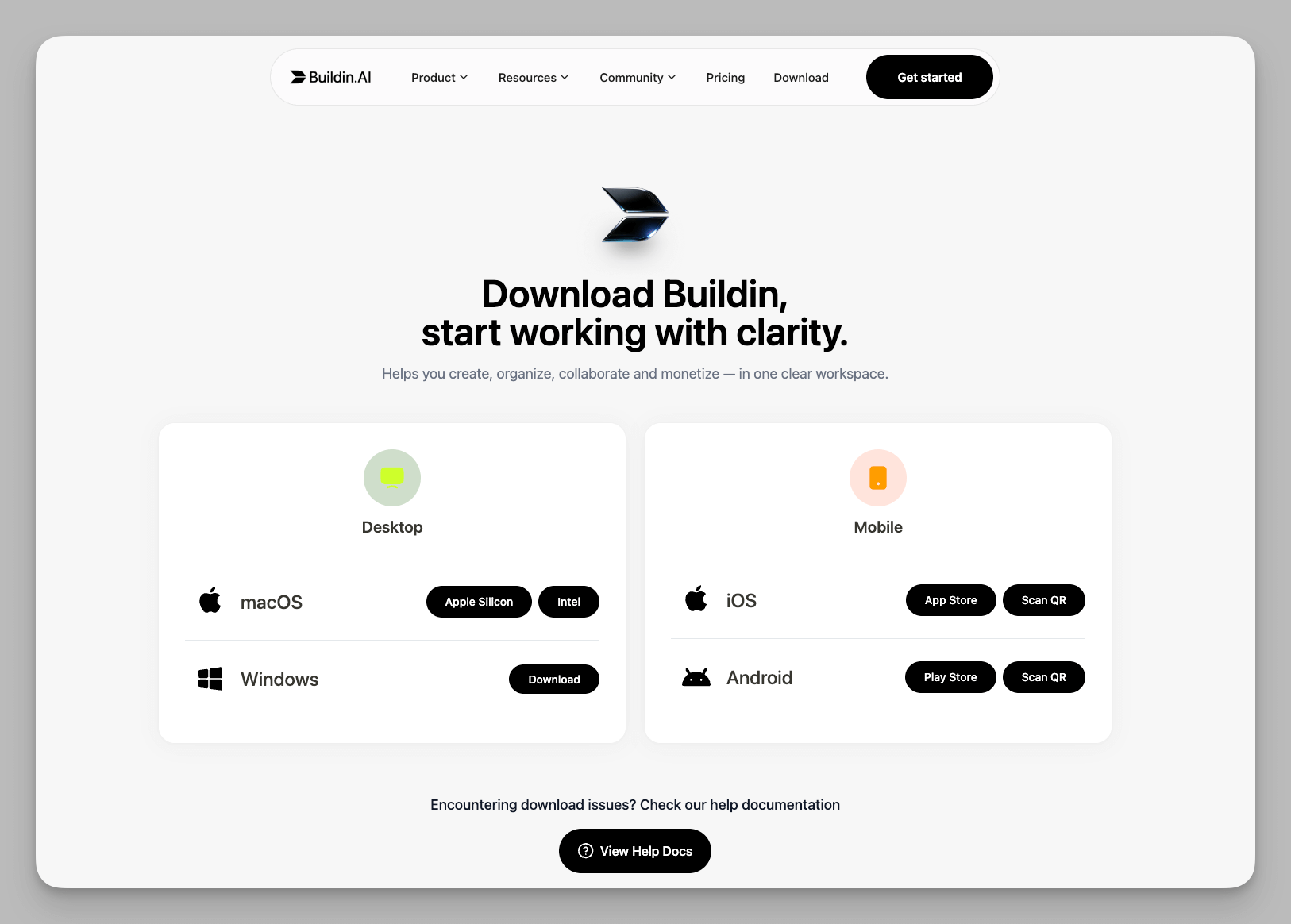
- Bear has chosen deep optimization for the Apple ecosystem. It isn't built with generic cross-platform technologies; instead, it leverages Apple's native frameworks like Core Data and CloudKit to provide unrivaled launch speeds and fluid animations on Mac, iPhone, and iPad. It perfectly supports Apple-specific features like Handoff, Siri Shortcuts, Apple Watch voice dictation, and system-level Spotlight search. For users fully invested in the Apple hardware suite, the Bear experience feels as natural and smooth as a native system app.
- Buildin is built for the modern reality of multi-device, hybrid work. It utilizes an advanced Web-first architecture that shatters device barriers, ensuring your data follows your account rather than your hardware. You can handle complex tables on a corporate Windows PC, review documents on an iPhone during your commute, and switch freely between a Mac or iPad at home. Even on a temporary browser entry or someone else's device, you can start working instantly without downloading a client. For modern teams with mixed-platform setups, Buildin completely eliminates "device lock-in" anxiety.
2. Organization: Tagging Streams vs. Structured Knowledge
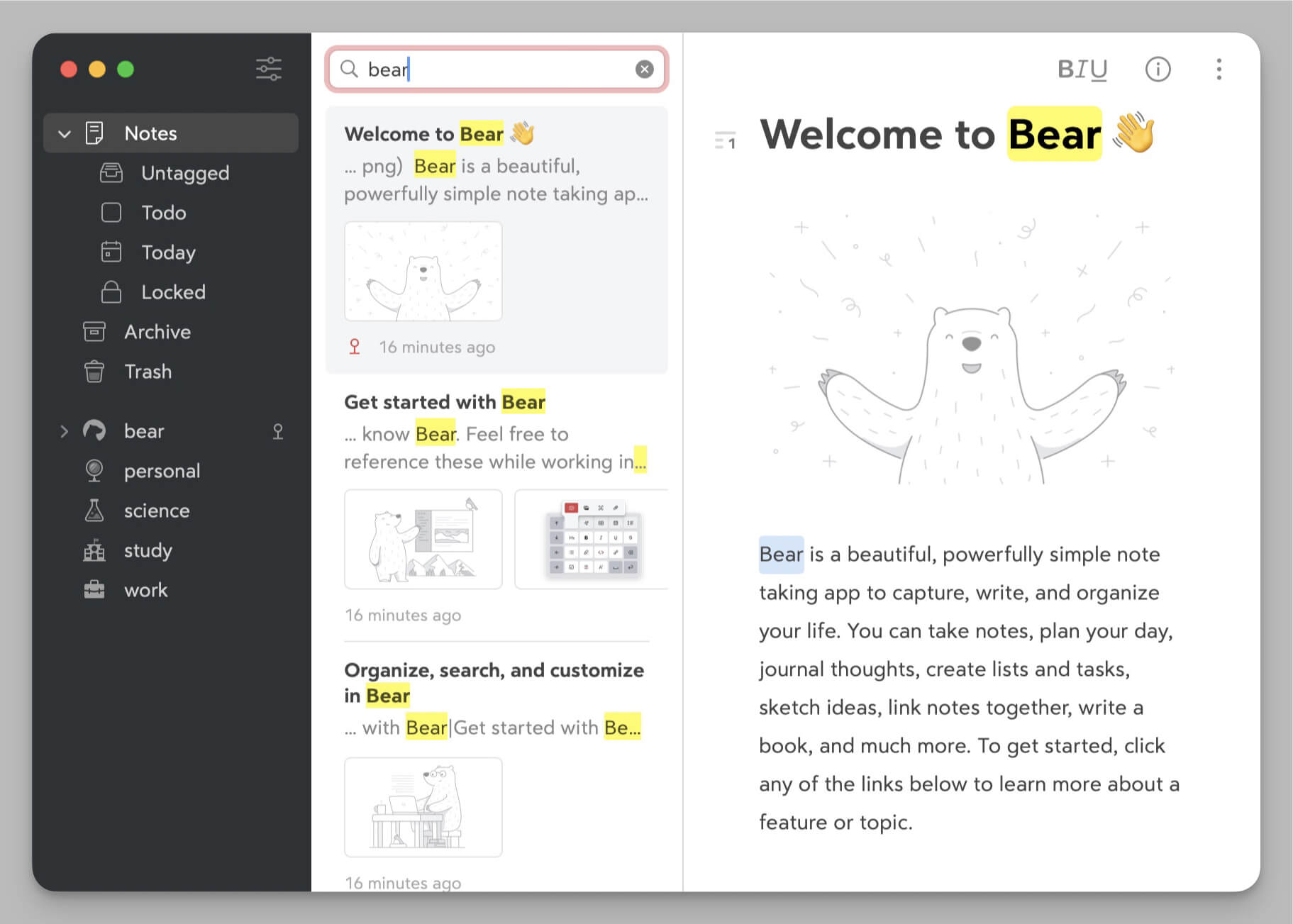
- Bear utilizes an extremely flexible "nested tagging" system, perfect for capturing fragmented inspiration and performing multi-dimensional archiving. This organizational style mimics the non-linear associations of the human brain, allowing a single note to belong to multiple categories simultaneously. Beyond simple classification, it empowers creators to build a personalized knowledge web where information flows naturally, making it effortless to re-discover old thoughts or connect disparate ideas into a cohesive narrative through intuitive tag hierarchies.
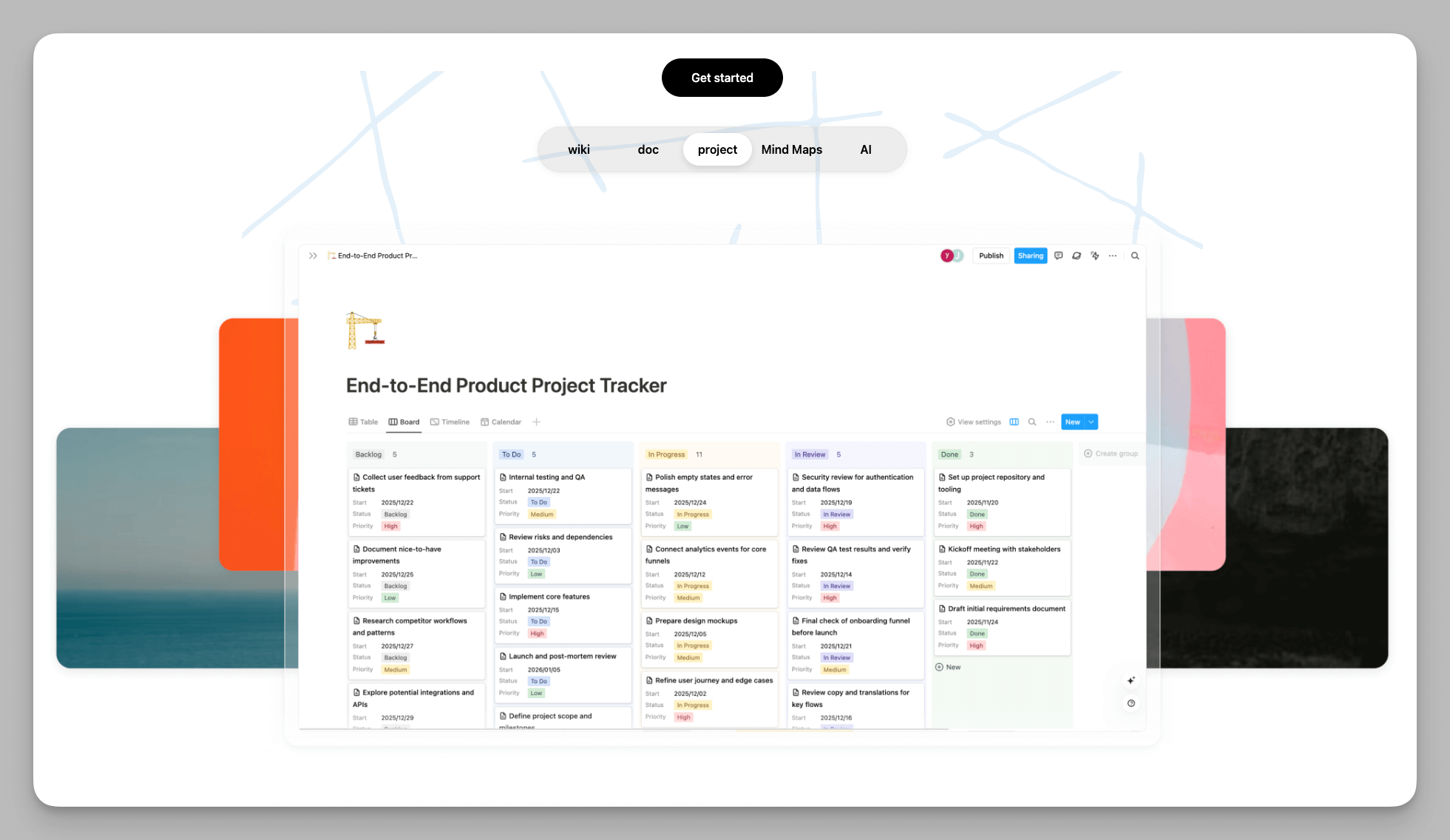
- Buildin offers a more scalable structured management system designed to turn "information" into "assets." Its core Multi-dimensional Database feature allows users to inject a structured soul into every note—you can customize properties such as status, priority, dates, and assignees. Furthermore, Buildin supports one-click switching between Board, Calendar, Gallery, or Table views, turning notes into traceable project tasks. Alongside traditional folder hierarchies and advanced bi-directional linking, Buildin includes a built-in Mind Map mode that instantly transforms linear text into visual logical structures, catering to the entire lifecycle from fragment capture to deep knowledge modeling.
3. Collaboration and Enterprise-Grade Control
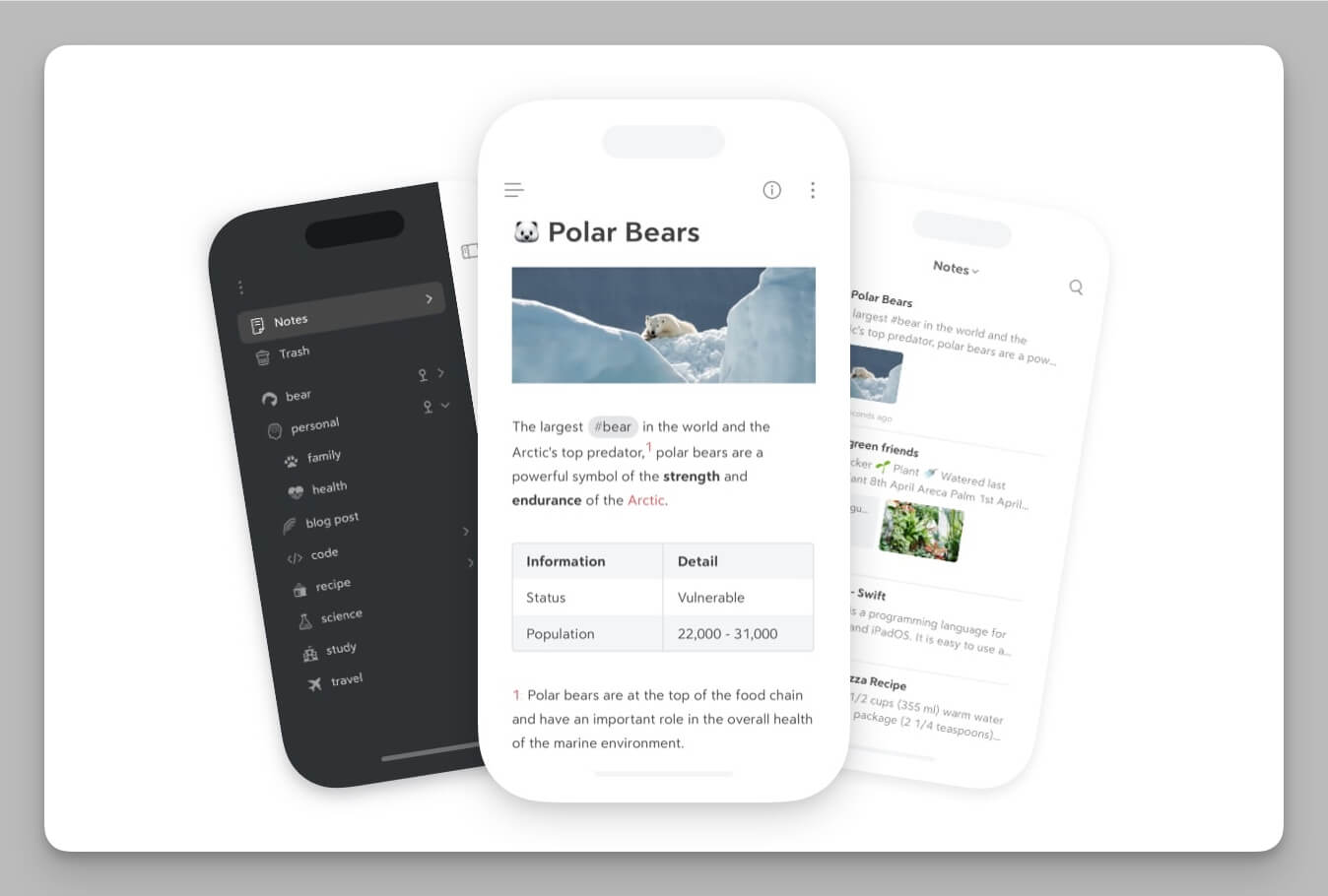
Bear follows a "personal-first" privacy philosophy, with a product design centered on individual data ownership. It relies on Apple's iCloud and CloudKit for synchronization, meaning all note data is stored and transferred through the user's own iCloud account, with encryption handled by Apple's infrastructure rather than Bear's servers.At the application level, Bear Pro allows users to encrypt individual notes and protect access using Face ID or Touch ID, providing strong, fine-grained privacy control for sensitive content. Combined with Apple's system-level security and optional Advanced Data Protection, Bear offers a highly secure environment for personal journals, private drafts, and creative work within the Apple ecosystem.
Buildin treats real-time collaboration and enterprise-grade permissions as core product DNA. It provides millisecond-level real-time multi-user editing and commenting similar to Google Docs, supporting @mentions to push precise task reminders and keep team members on the same page. For organizational knowledge management, Buildin features a highly granular permission control system, allowing access to be governed at the workspace, page, or even block level. Additionally, for industries with strict compliance requirements, Buildin offers On-Premise deployment, allowing enterprises to physically isolate data on their own servers for total data sovereignty.
4. Creator Economy: Writing vs. Monetization
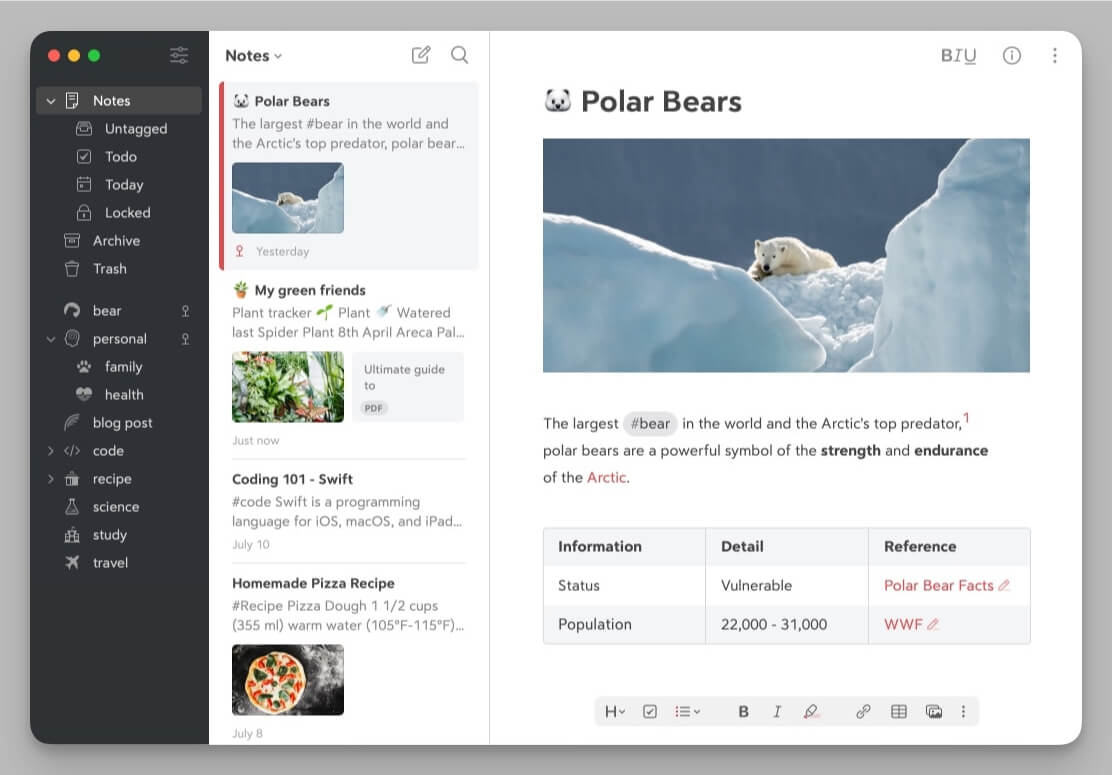
- Bear: Bear focuses entirely on the creative end, serving as a pure Markdown content lab. It offers various high-quality export options like PDF, HTML, JPG, and EPUB, capable of generating publication-ready formats directly. It provides a quiet, distraction-free, and beautifully typeset environment for creators to refine their thoughts. While it is a perfect "input and processing" tool, it does not solve the final step of content distribution and value conversion—once a draft is finished, creators must still manually migrate to external platforms for publishing or monetization.
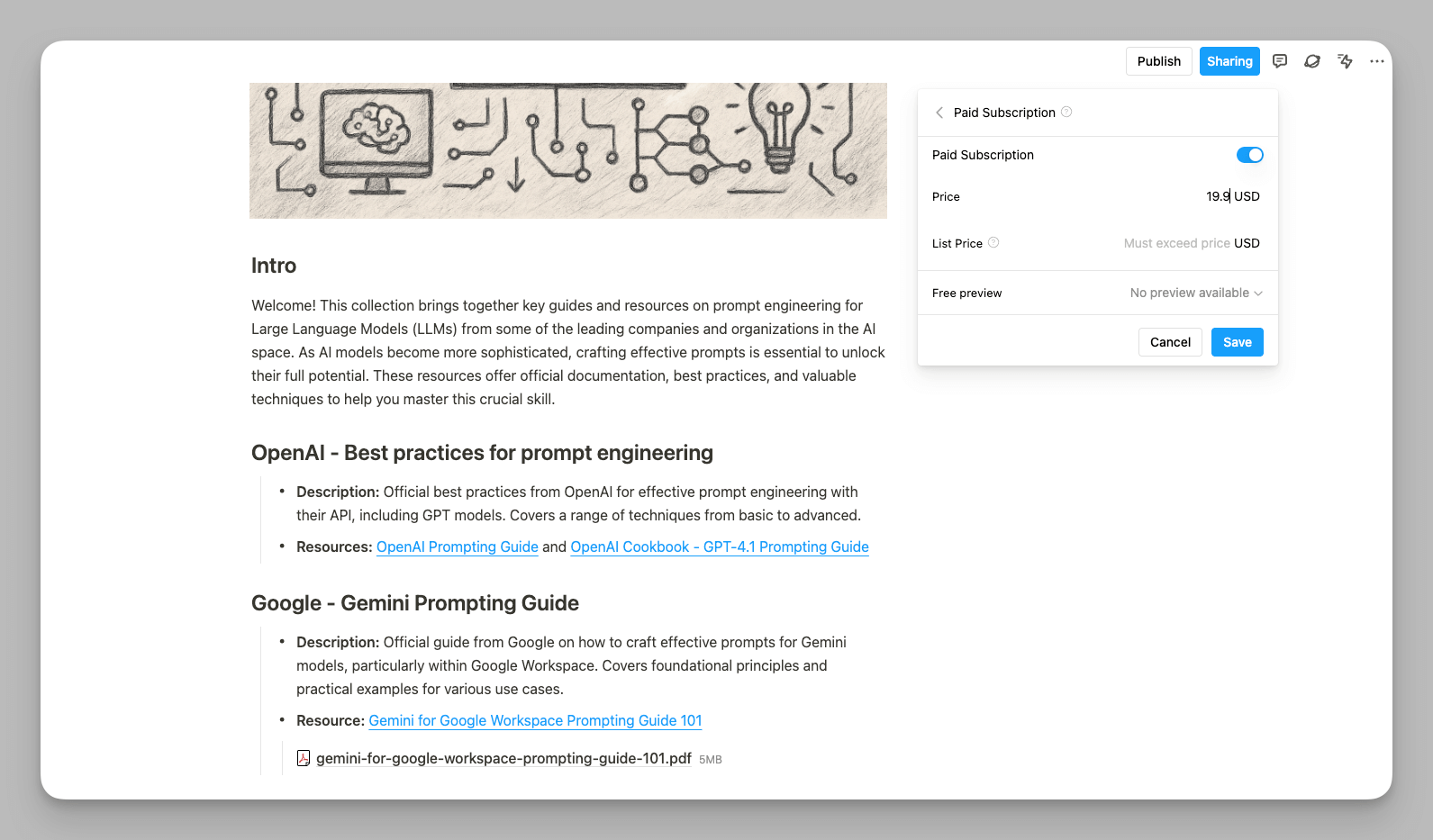
- Buildin: Buildin is committed to bridging the path from "content production" to "business monetization," allowing creation to generate immediate cash flow. It features a built-in knowledge monetization toolkit, enabling creators to set up paid subscription channels, sell digital reports, or offer professional templates directly within the platform. Through a closed-loop transaction system and beautiful storefront pages, creators can avoid expensive website building costs or maintaining complex third-party payment redirections. For individual entrepreneurs in the knowledge-sharing era, Buildin is more than just a writing tool; it is a low-barrier business operations hub.
5. AI and Automation
- Bear maintains a minimalist and restrained approach to AI, consistent with its positioning as a "pure writing tool." It primarily utilizes Apple's underlying Apple Intelligence capabilities, allowing users to perform text proofreading, tone adjustments, or summary generation through system functions. This AI experience is invisible and passive; it doesn't actively reshape your writing logic but serves as a silent background assistant, ensuring you enjoy native smoothness while maintaining basic intelligent convenience.
- Buildin deeply integrates AI capabilities into the entire workflow of knowledge discovery and content generation. Its core AI Knowledge Base (RAG) feature goes beyond simple Q&A by using vector retrieval technology to deeply understand all your historical documents. When you ask, "Based on the three surveys from last year, what is our core market judgment?" it can instantly synthesize vast amounts of information to provide evidence-based summaries with accurate citations. Furthermore, Buildin supports Enterprise BYO-LLM (Bring Your Own LLM), allowing organizations to connect their own private models to ensure sensitive data remains within encrypted tunnels or on-site.

6. Migration: Is it Easy to Move?
Bear primarily relies on standard Markdown exports. While highly universal, migrating to other complex document systems often results in the loss of formatting details and image associations, requiring creators to perform significant manual cleanup, which keeps migration costs high.
Buildin specifically enhances the "continuity of experience" during migration. It provides a deeply customized Notion import plugin that uses API-level integration to migrate not only text and images but also preserves multi-dimensional database structures, tag properties, nested page hierarchies, and complex page layouts. This "lossless" migration capability allows users switching from platforms like Notion to Buildin to have almost no learning curve or operational burden, achieving a seamless transition of productivity.
7. Pricing and Plans
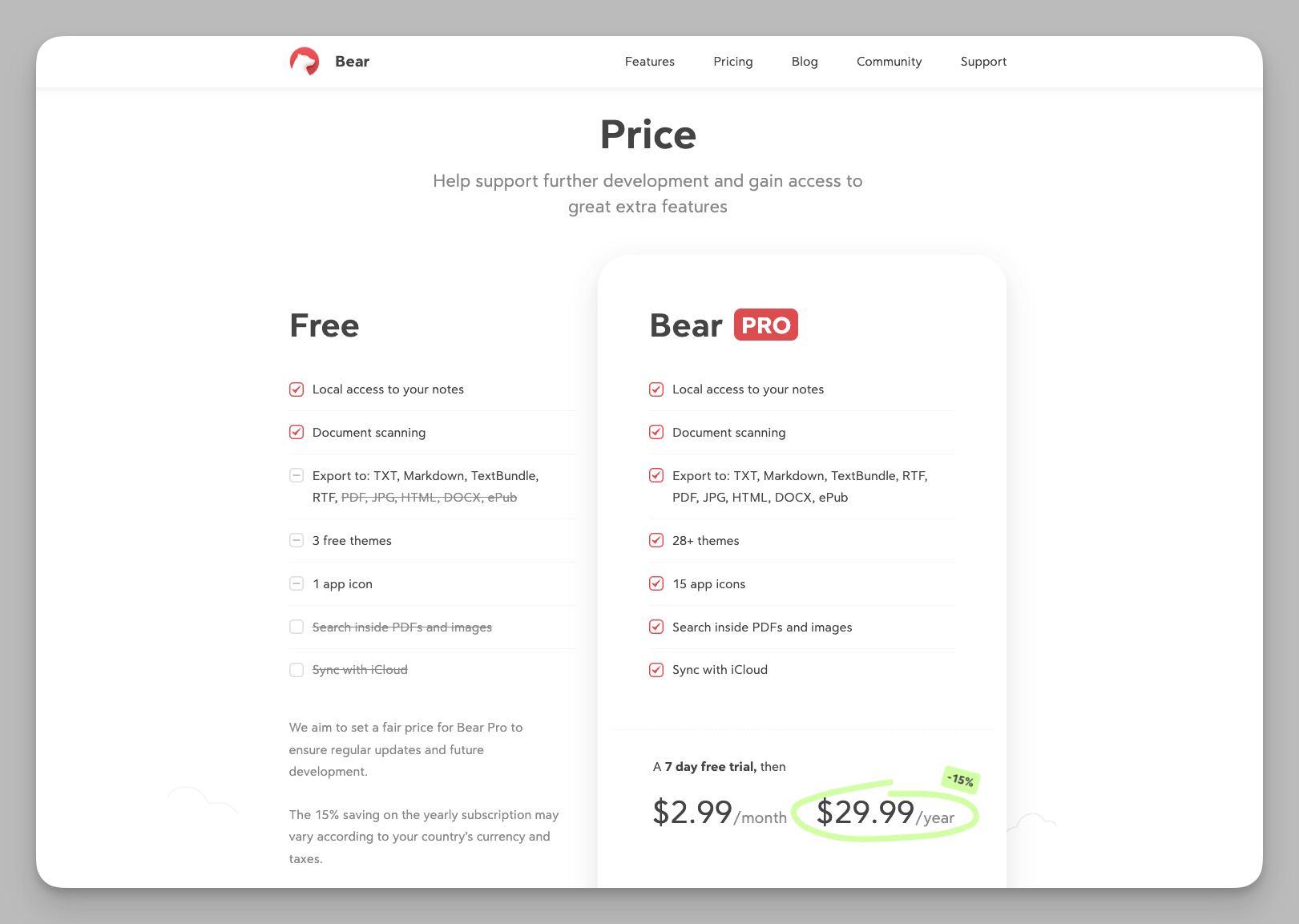
- Bear provides a single Pro subscription at $29.99/year. it is the cost-effective choice for individual writers seeking the ultimate native experience and a minimalist creative environment.
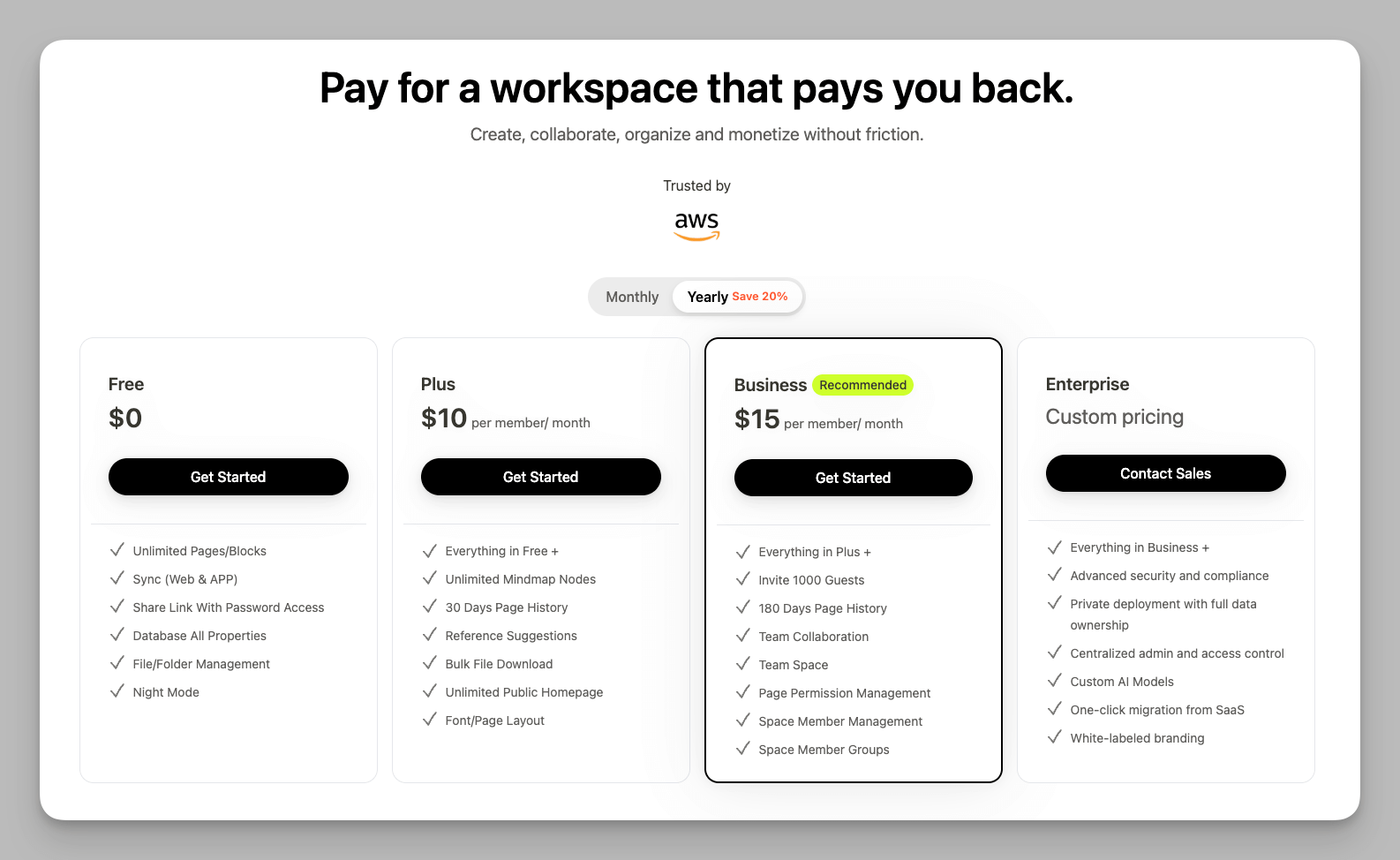
- Buildin offers a more diverse value ladder where the Plus plan is $120/year ($10/mo) and Business collaboration is approximately $15/mo/user. Its core value lies in integrated AI assistants, multi-dimensional databases, and a complete monetization loop, making it a true productivity asset for high-output creators and enterprises.
Overview: Key Differences at a Glance
| Feature | Bear | Buildin |
|---|---|---|
| Best For | Solo writers, Apple enthusiasts & minimalists | Teams, commercial creators & project managers |
| Platforms | iOS, macOS (Apple-exclusive optimization) | Web, Windows, Mac, Android (Full coverage) |
| Logic | Nested Tags & flexible linear flow | Databases, Kanban, Bi-links & Mind Maps |
| Collab | Personal only (iCloud architecture) | Real-time multi-user, @mentions & permissions |
| Business | Focus on creation process (Write only) | Built-in monetization, subscriptions & templates |
| Privacy | End-to-end encryption & Apple ecosystem | Encrypted cloud or On-Premise deployment |
| AI | Invisible system assistance | AI Knowledge Base (RAG) & BYO-LLM(Enterprise only) |
| Pricing | Free available; Pro at $29.99/year | Free available; Plus: $10-12/mo / Business: $15-18/mo |
Final Verdict: Our Advice
The key to choosing a tool is identifying where your productivity finish line is. Price is only one part of the cost; what matters more is the scale and depth of the problems the tool solves.
Choose Bear, if: You are looking for a "digital journal" experience. If your entire work and life stay within the Apple ecosystem, and your core needs are deep personal writing and aesthetic archiving, Bear is an exceptional investment. It provides an elegantly quiet, distraction-free space for you to focus on refining your thoughts without being diverted by complex system logic. It is a refined personal creation lab.
Choose Buildin, if: You need a productivity foundation to drive your business or personal monetization. If your work involves multi-dimensional data management, cross-platform collaboration, or if you plan to turn knowledge into actual income, the value Buildin provides will far exceed its subscription price. It is designed to solve how knowledge flows, collaborates, and generates revenue. Whether managing complex enterprise projects or building subscription content as an independent creator, Buildin supports you from record-taking to monetization.
Conclusion: Bear is a work of art for personal writing—a pure text recorder. Buildin is a next-generation knowledge platform—a productivity station helping you build, collaborate, and monetize.
Welcome to explore Buildin. We believe it can create greater value for your knowledge assets.

Amara Elara
Specializes in visualizing complex processes and improving product education. Responsible for user support, product tutorials, and visual guides at Buildin, helping users improve tool adoption and overall productivity.